
1 Get Started With a Math Problem


Click the button to scrape math off a webpage


OR
Write your own math in the blue "given" box, then start solving!
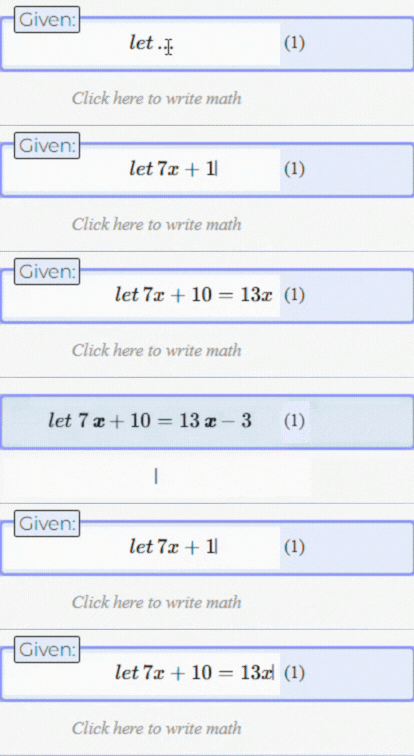
2 Work Fast
3 Get New Problems to Solve
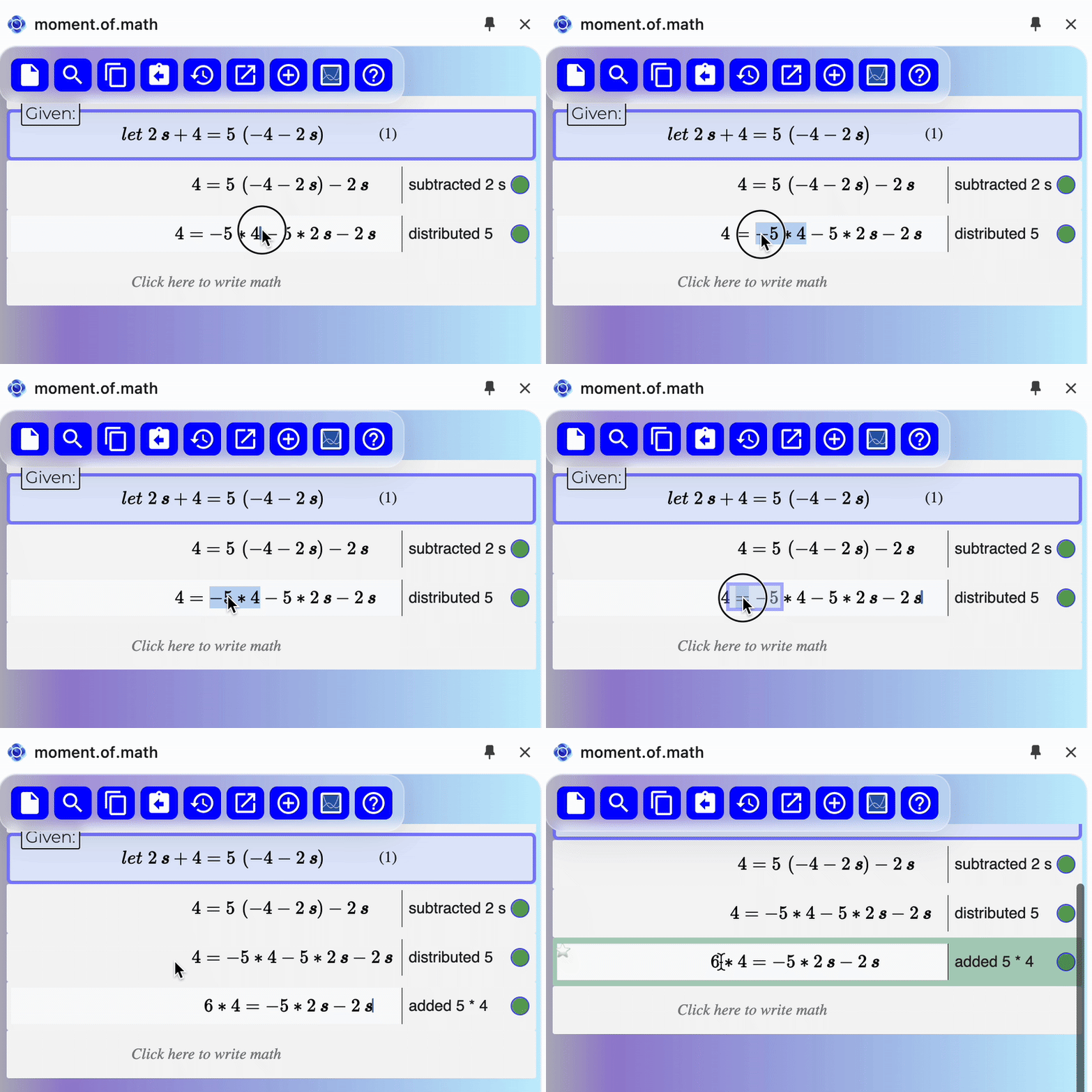
Drag and drop to speed up your work
(and right click to find more shortcuts, like calculating and duplicating!)
Auto-generate as many similar problems as you need


Click the button to learn more tips and tricks!

More details on the moment.of.math Chrome extension

1
Installing and launching
Installing and launching
-
Follow this link and click "Add to Chrome"
-
For easiest use, open the extension manager (puzzle piece) and "pin" the moment.of.math extension
-
To open on a page where you wish to do some math work, click on the moment.of.math icon in the pinned area right of the address bar.
Links to additional reading:
-
Basics of verification and givens https://github.com/together-science/tm-wiki/wiki/Automatic-math-verification
-
Writing and editing math https://github.com/together-science/tm-wiki/wiki/Writing-and-editing-math
-
Specific math topics: https://github.com/together-science/tm-wiki/wiki/Specific-math-topics
2
Buttons
-
Click "New" to clear your work space. No worries, you can use "History" to go back to previous work.
-
The "Search" button will try to find and copy over math on the current page. Currently, this works for Khan Academy, Desmos classroom, Art of Problem Solving and the MIT math app. We will add more supported pages, and you can email info@together.science to request one that is important to you.
-
The "Putback" button will take your last result and paste it into a single input box on the current page, if it could find one. This only works for the "known pages" (see search button) and only if there is only one input box. Otherwise, the value will be copied to the clipboard.
-
The "Copy" button copies both image (PNG) and LaTeX versions of your current work to the clipboard. You can paste these into Word, Google Docs, PowerPoint, Google Forms, Overleaf, and many other programs.
-
With the "History" button, you can see a list of your recent work sessions, and then restore one, make a transcript of one or more, or clear the history. Transcripts open as moment.of.math work submissions in a separate tab.
-
Open in MoM / Open variation - These buttons try to (best effort!) convert current work into a m.o.m.-style problem and let you work on it on the moment.of.math website. Variations are versions of the problem with different numbers and letters.
-
Desmos - opens the Desmos graphical calculator in a small popup window
-
Help - takes you to this page
3
Shortcuts
-
Most important shortcut keys
-
Enter - Go to next line
-
Cmd-enter (Mac) / Ctrl-Enter (Win) - same and create new line below
-
Shift-enter - duplicate current line below
-
Cmd-Shift enter / Ctrl-shift-enter - duplicate the right side below
-
Option-enter / Alt-enter - make all simple calculations and insert as new line below
-
Cmd-delete / Ctrl-delete - delete the current line
-
Cmd-z / Ctrl z - undo
-
Shift-cmd-z / Shift-ctrl-z - redo
-
-
"Right-click" a math line for a context menu that includes:
-
Calculate selection or whole line - make all simple calculations
-
Delete the current line
-
Mark as "given" - elevate an equation to a "given" that is used to verify other equations
-
Sort by variable - first select the variable name, then right-click
-
Quadratic formula - once your equation is in the standard ax^2+bx+c=0 form, you can use this to apply the quadratic formula
-
Prime-factor an integer
-
-
Drag-and-drop math
-
Drag and drop doesn't do what a text editor would do - it performs algebraic transformations
-
Drag top-level terms across to the other side of an equation
-
Drag two operands onto each other to perform a simple calculation
-
Distribute a factor into parentheses
-
Factor out a common item (variable or number) by dragging it onto its counterpart
-